
The Best AI Video Tools for Ecommerce, Tested in 2026
AI video tools are evolving quickly, but most platforms still solve very different creative problems. Some focus on ecommerce ad generation, others prioritize content repurposing, automation, or short-form social workflows. We spent several weeks testing the leading platforms to understand which tools actually fit modern ecommerce creative production — and which ones are better suited to other use cases.
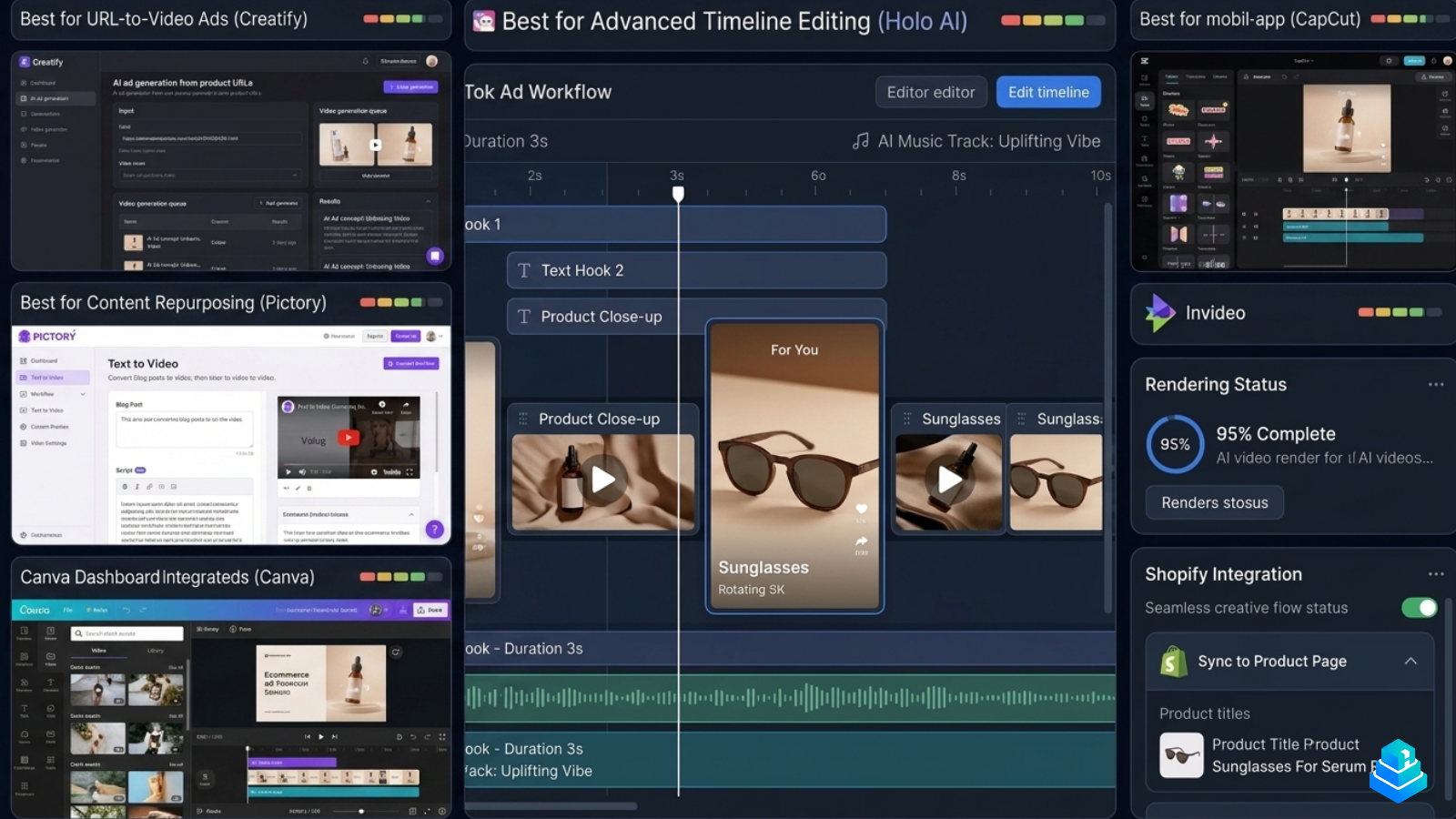
A year ago, "AI video" mostly meant generic stock-footage assemblers. That has shifted. The strongest platforms in 2026 fall into clear categories: ecommerce ad generators, automation-driven template engines, content repurposing tools, and traditional short-form editors with AI features bolted on. Treating them as interchangeable is the first mistake most teams make.
This guide is structured around how each tool actually behaves in a working ecommerce creative process — not marketing copy, demo reels, or theoretical capabilities.
Quick comparison: how the platforms stack up
| Tool | Best for | Workflow | Ecom focus | Ease | Pricing |
|---|---|---|---|---|---|
| Holo AI | Ecommerce ad creatives | Short-form / TikTok-style | High | Medium | From $29/mo |
| Creatify | URL-to-video automation | Template + AI generation | High | Easy | From $39/mo |
| Pictory | Content repurposing | Long-form / blog-to-video | Low–Medium | Easy | From $25/mo |
| Canva | Lightweight social graphics | Drag-and-drop editor | Medium | Very easy | Free / $15/mo Pro |
| InVideo | Marketing video templates | Template + AI assist | Medium | Easy | From $20/mo |
| CapCut | Manual short-form editing | Timeline editor | Medium | Medium | Free / $9.99/mo Pro |
Pricing reflects publicly available entry-tier plans at the time of testing. Annual billing and team plans vary considerably by vendor.
How we evaluated these tools
Each platform was tested across the same set of practical ecommerce creative tasks, using identical product inputs (a sunglasses brand, a beauty SKU, and a home goods product) so that the differences came from the software — not the inputs.
- Ecommerce workflow fit: how naturally each tool handles product URLs, image assets, and store-level creative iteration.
- Creative iteration speed: how quickly we could produce 3–5 variations of the same concept (hooks, music, pacing, captions).
- Template quality: whether the templates feel modern and brand-safe, or visibly generic.
- Export quality: resolution, frame rate, audio fidelity, and how exports survive Meta and TikTok compression.
- Editing flexibility: the ability to override AI decisions (timing, captions, transitions) without breaking the project.
- Short-form / TikTok workflow: support for 9:16 layouts, hook rotation, and creator-style pacing.
- Shopify usability: how cleanly each tool plugs into a typical Shopify creative process.
No platform was "scored" on a single number. Instead we documented strengths and limitations honestly — including the cases where a tool simply isn't the right choice.
The tools, reviewed
Holo AI — built for ecommerce ad creatives
Best for: Shopify brands and DTC teams producing high volumes of short-form product ads.
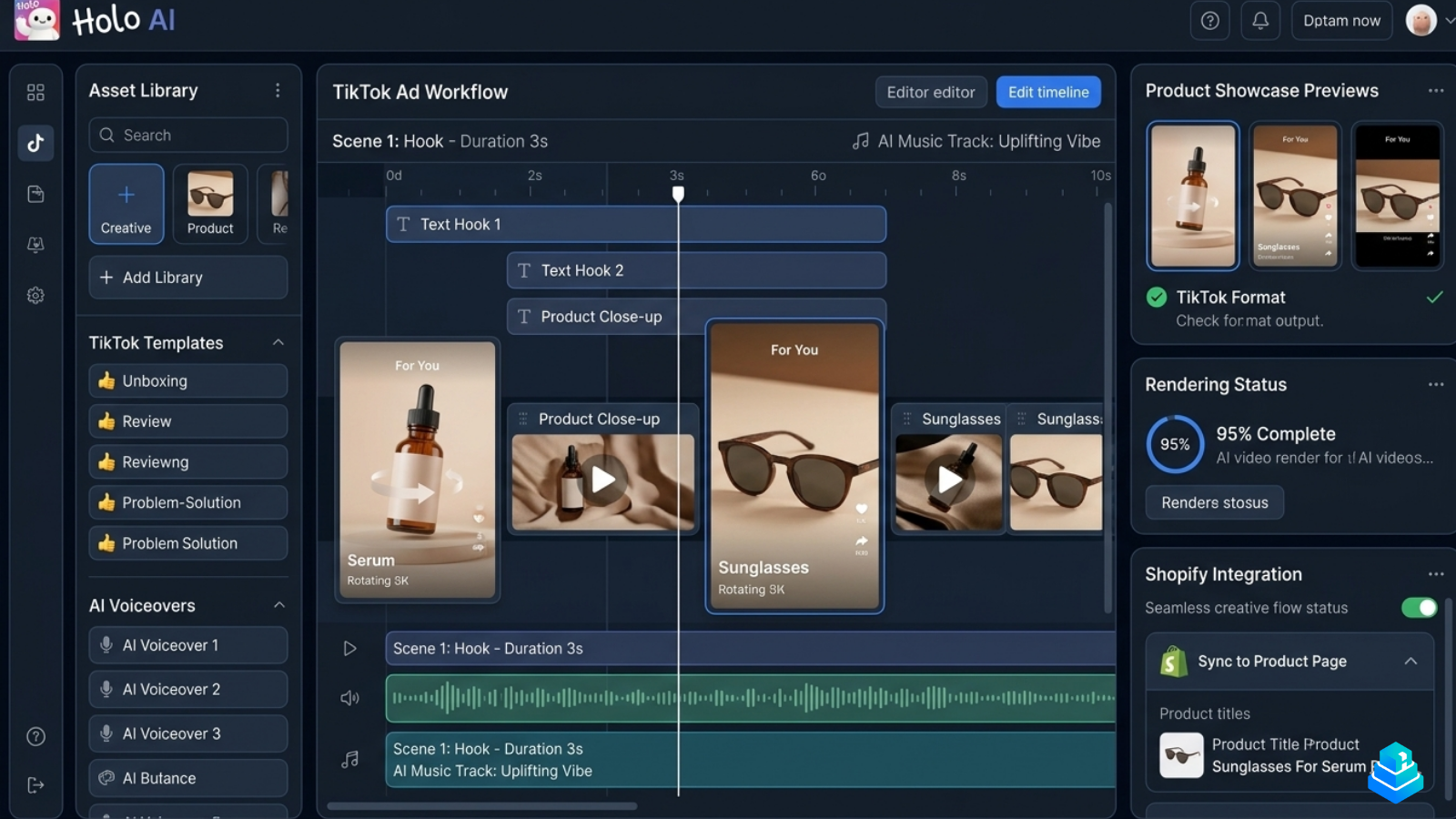
Holo AI is one of the few platforms in this list that was clearly designed around ecommerce ad creative as its primary workflow — not as an afterthought. The editor is structured around hook rotation, product close-ups, and short-form pacing suitable for Meta and TikTok feeds.
Strengths: Fast iteration on hooks and captions, sensible defaults for 9:16 ad formats, and a workflow that nudges you toward the kind of creatives that actually get tested in performance accounts. The product-image handling is cleaner than most general-purpose tools.
Limitations: The template library is intentionally narrow — Holo AI is not trying to be a generalist video tool. Teams producing long-form YouTube content or polished brand films will find the format range limiting.
For a closer look, see our full Holo AI review and the head-to-head Holo AI vs Creatify comparison.
Creatify — automation-first ecommerce video generation
Best for: teams that want to feed in a product URL and get usable video drafts back quickly.
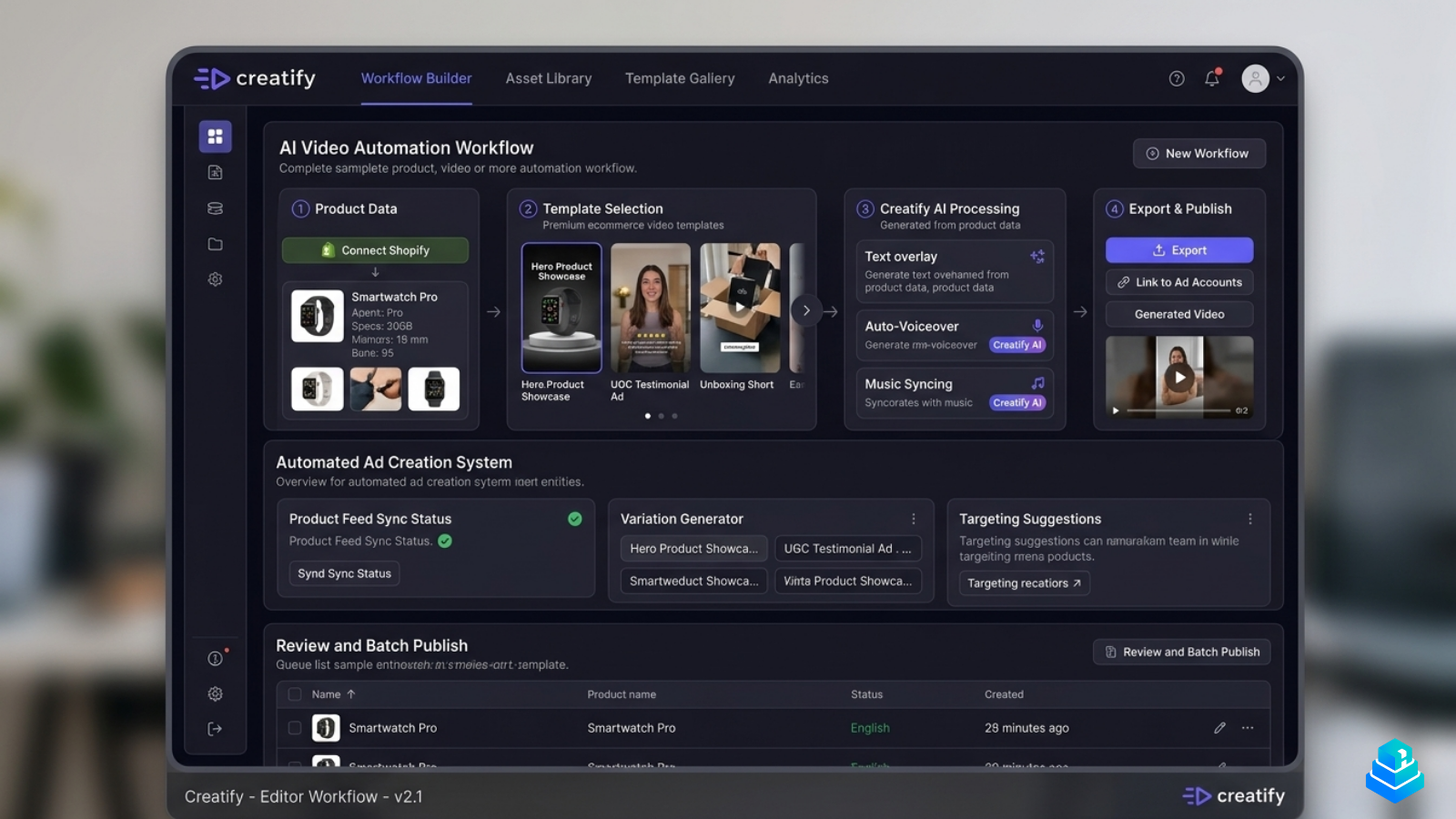
Creatify's defining feature is its URL-to-video pipeline: paste a product page, and the platform pulls product imagery, copy, and structured details to produce a set of short ad drafts. For teams that prioritize raw output volume over per-asset control, this is a meaningful workflow advantage.
Strengths: Strong automation, broad template variety, and AI-generated avatars that have improved noticeably over the past year. Solid option for agencies producing creatives across many SKUs.
Limitations: Outputs can feel templated when used at scale, and fine-grained editing is less direct than in a manual editor. Brands with strict visual identity guidelines may need extra cleanup passes.
Pictory — strongest for long-form content repurposing
Best for: content teams turning blog posts, webinars, and scripts into video.
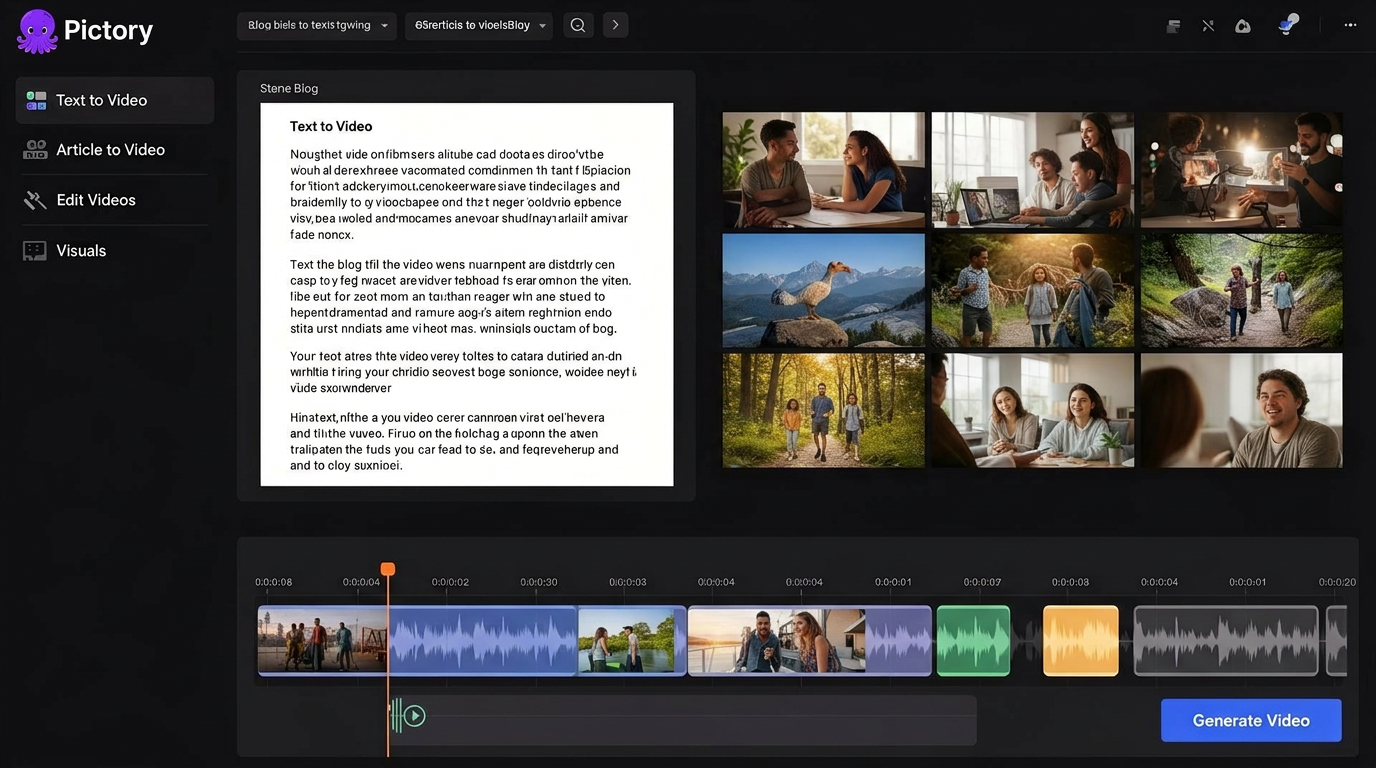
Pictory sits in a different category than the ecommerce-first tools. Its core workflow is text-to-video and article-to-video: paste a blog post, and the platform segments it into scenes, suggests stock footage, and generates a voiceover.
Strengths: Genuinely useful for SEO content teams, podcast repurposing, and YouTube workflows. The auto-captioning and scene segmentation are reliable.
Limitations: Not built for short-form ad creative. The stock footage library, while large, gives outputs a recognizable "Pictory look" that isn't ideal for paid social testing.
Canva — accessible editing for lightweight social assets
Best for: solo founders, small brands, and non-designers producing social graphics and basic video.
Canva's video features have matured significantly. Magic Studio now covers basic text-to-video, background removal, and simple AI editing. For ecommerce brands that primarily need clean static graphics with occasional short videos, Canva remains a sensible choice.
Strengths: Very low learning curve, broad template library, and strong asset management for small teams.
Limitations: Not optimized for high-volume short-form ad production, and the AI video features are deliberately conservative compared to dedicated platforms.
InVideo — flexible templates with AI assistance
Best for: marketing teams producing a mix of explainer, promo, and social video.
InVideo sits between a traditional template editor and an AI-first generator. Its prompt-based generator can scaffold a video from a brief, but the real value is the editable template library that lets teams iterate without building from scratch.
Strengths: Strong template variety, useful for general marketing video, and reasonably priced for small teams.
Limitations: Less ecommerce-specific than Holo AI or Creatify, and the AI-generated outputs benefit from manual cleanup before publishing.
CapCut — manual editing flexibility for short-form
Best for: creators and editors who want timeline-level control for TikTok-style content.
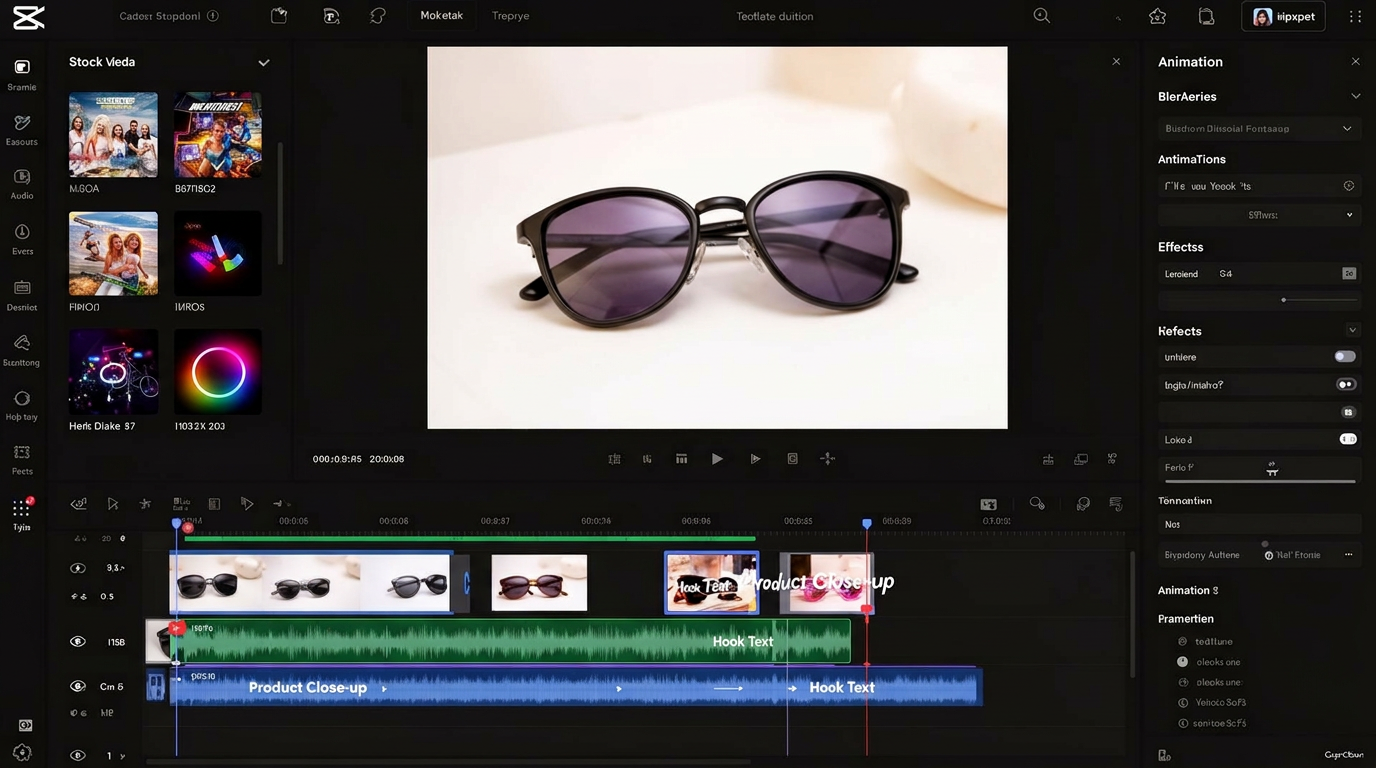
CapCut isn't an AI video generator in the same sense as Holo AI or Creatify, but it deserves a place in this list because so many ecommerce creative teams still rely on it. It offers genuine timeline editing, robust audio handling, and a deep ecosystem of effects designed for short-form content.
Strengths: Real editing power, native short-form workflow, and free-tier access that lowers the barrier for testing.
Limitations: Manual by nature — it doesn't replace a generation tool. Teams producing dozens of variants per week will feel the lack of automation.
Which tool fits which type of ecommerce team?
- Established Shopify brands: Holo AI for paid social creative, Canva for organic social graphics, CapCut for manual polish.
- Dropshippers and product testers: Creatify for fast URL-to-video drafts, Holo AI when conversion-focused short-form is the priority.
- Agencies: Creatify for client volume, Holo AI for ecommerce accounts where creative quality drives ROAS, CapCut for editor handoff.
- Paid media buyers: Holo AI and Creatify together cover most weekly creative needs without leaning on a full production team.
- Beginners: Canva and InVideo offer the gentlest learning curve.
- Content teams: Pictory for blog and podcast repurposing, InVideo for general marketing video.
Honest limitations of AI video tools today
No category benefits more from cautious expectations than AI video. After several weeks of daily testing, these are the limitations worth knowing before buying:
- Template repetition: Most platforms reuse a recognizable visual grammar. Brands operating in saturated categories may need a manual editing pass.
- Editing trade-offs: Highly automated tools tend to limit how deeply you can override AI decisions. Highly editable tools demand more time per asset.
- Rendering quality: Output quality is generally good at 1080p, but compression artifacts on TikTok and Reels remain a real consideration.
- Creative sameness: Generative templates converge toward a "house style." Without manual intervention, brand differentiation suffers over time.
- Brand consistency: Few tools enforce brand kits as strictly as designers expect. Logo placement, colorway, and typography often need manual review.
Frequently asked questions
What is the best AI video tool for ecommerce ads?+
For short-form ecommerce ad creative, Holo AI and Creatify are the most operationally aligned platforms. Holo AI tends to win on creative quality and short-form fit; Creatify tends to win on raw output speed. Most serious ecommerce teams use both for different parts of the workflow.
Can AI video tools replace a creative team?+
No — and the platforms that claim otherwise overstate the case. AI video tools meaningfully reduce the time required to produce variations, but creative direction, brand judgment, and performance review still require humans. The best results come from pairing AI tools with experienced creatives.
Are AI-generated ads safe to run on Meta and TikTok?+
Generally, yes — provided the content complies with the platforms' standard ad policies. Both Meta and TikTok have policies around AI-generated content, especially when using avatars or synthetic voices. Disclosure requirements are evolving, so review the latest platform guidelines before scaling.
Do these tools work with Shopify?+
Holo AI and Creatify both support pulling product data directly from Shopify product pages or URLs. Pictory, Canva, InVideo, and CapCut do not have native Shopify integrations but accept exported product imagery and copy.
What's the realistic monthly cost for an ecommerce team?+
A typical small ecommerce team running paid social spends between $40 and $120 per month on AI video tooling, often combining one ecommerce-focused platform (Holo AI or Creatify) with a free-tier editor (CapCut or Canva). Larger teams running multiple brands typically scale into team plans in the $200–$600 range.
How long does it take to produce a TikTok-style ad with these tools?+
With a clean product asset and a defined hook, most teams produce a publishable 15–30 second variant in 10–25 minutes using Holo AI or Creatify. Manual editing in CapCut typically takes 30–60 minutes per variant for comparable polish.
Are AI avatars worth using in ecommerce ads?+
AI avatars have improved significantly, but performance varies by category. They tend to underperform genuine UGC for fashion, beauty, and lifestyle products, and perform better for explainer-style or B2B-adjacent ecommerce categories.
What's the biggest mistake teams make when adopting AI video tools?+
Treating them as a one-tool solution. AI video platforms are creative accelerators, not full production replacements. Teams that combine an automation-first tool with a manual editor and a clear creative brief consistently outperform teams that rely on a single platform.
Final verdict
The "best" AI video tool depends entirely on the workflow it's meant to support. For ecommerce teams prioritizing fast short-form ad production, ecommerce-focused tools like Holo AI and Creatify feel more operationally aligned than broader AI video platforms. For content repurposing, Pictory remains the clearest choice. For lightweight social design, Canva is hard to beat. And for editors who still want real timeline control, CapCut continues to deliver.
The most realistic answer for a modern ecommerce brand isn't a single tool — it's a small stack: one ecommerce-first generator, one manual editor, and a clear creative review process around both.
Holo AI · Creatify
Pictory · Canva (alone)
Continue reading: Holo AI vs Creatify — the full comparison.