
Pollo AI Pricing 2026: The Best Value Plan (And The One Most Users Regret Picking)
We tested every Pollo AI plan inside real affiliate and ecommerce workflows. Here's the tier that actually pays for itself — and the one most creators outgrow within 30 days.
Affiliate link — we may earn a commission. Pricing verified against Pollo AI's live plans page.
- How much does Pollo AI cost? Free to start. Paid plans run $10–$25/mo, with higher tiers for agencies.
- Cheapest paid plan: Lite at $10/mo (300 credits, no watermark).
- Most popular plan: Pro at $25/mo (800 credits, professional mode, faster speeds).
- Best value plan: Pro on annual billing — saves ~14% and unlocks enough volume for real ad testing.
- Is there a free plan? Yes — 20 credits/month, watermarked. Good for trying it once, not for running a workflow.
Which Plan Should You Choose?
Editor's Pick: Pro- Casual Creator — light, hobby use→ Lite
- Affiliate Marketer — paid social testing Recommended→ Pro
- Ecommerce Store — Shopify / Woo ads Best Value→ Pro
- Agency — multiple clients→ Agency
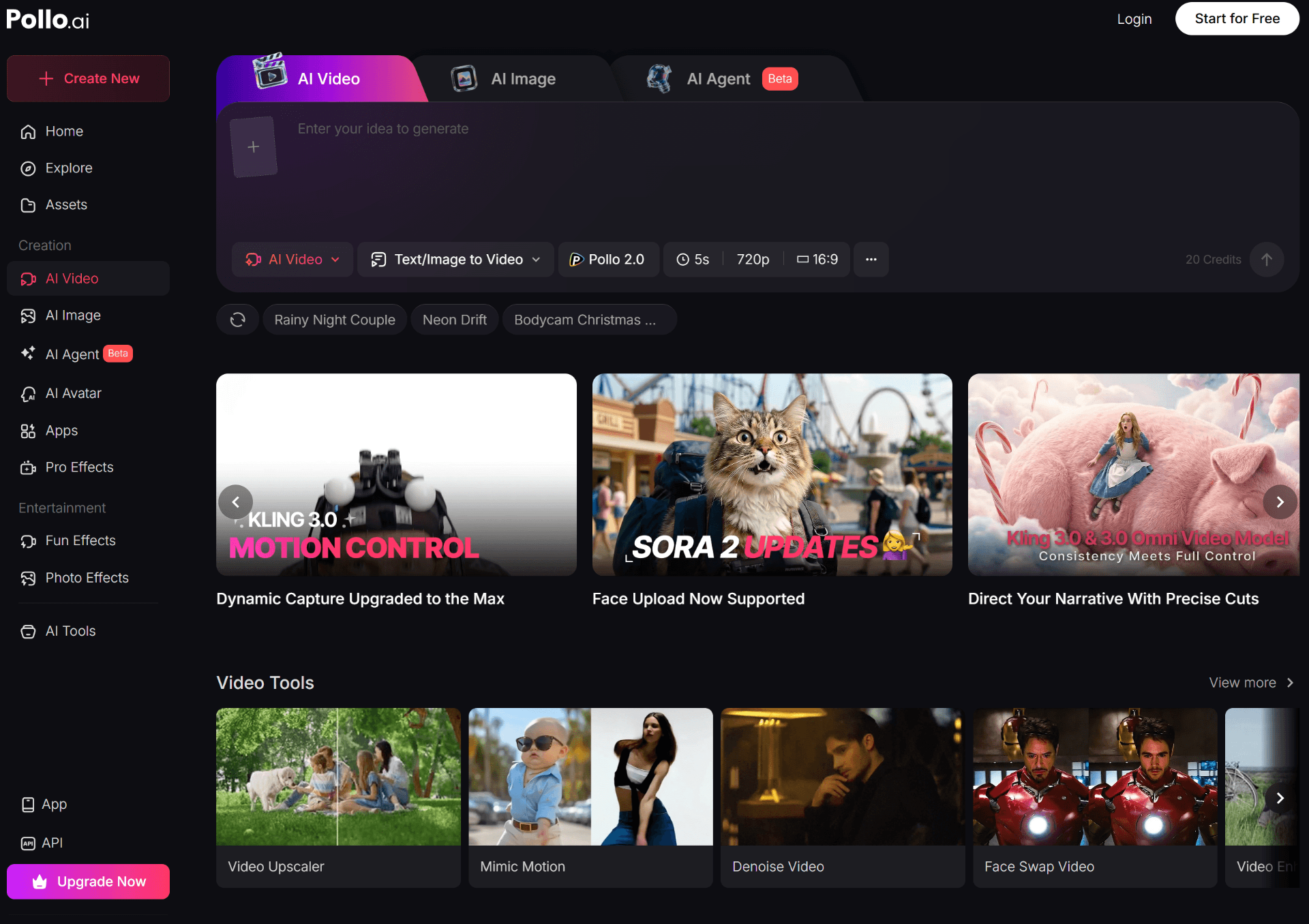
Pollo AI Pricing Overview
Pollo AI uses a credit-based pricing model. You pay for a monthly subscription, and each video generation draws from your credit balance. The number of credits varies by mode (standard vs professional), length, and resolution — but Pollo's pricing is straightforward compared to most AI video tools.
Here's the current Pollo AI pricing breakdown for 2026, including monthly and yearly billing, credit allocations, and what each tier is actually good for.
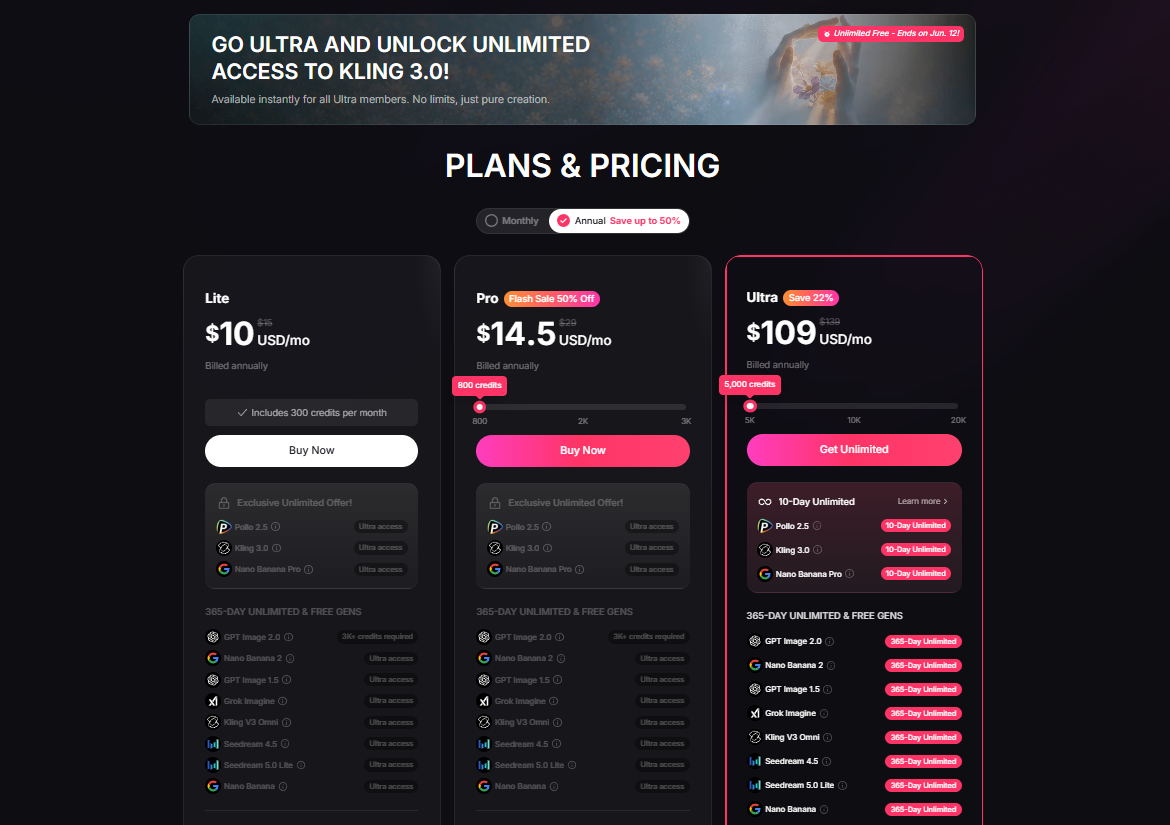
| Plan | Monthly | Yearly (≈14% off) | Credits | Key Features | Best For |
|---|---|---|---|---|---|
| Free | $0 | — | 20 / mo | Standard mode, watermark, normal speed | Trying the tool once |
| Lite | $10 | ~$8.60 | 300 / mo | No watermark, pro mode, faster speed | Casual creators, side projects |
| ProMost Popular | $25 | ~$21.50 | 800 / mo | Pro mode, priority support, camera control | Most operators & affiliates |
| Pro+ | $50+ | ~$43+ | 2,000+ / mo | Higher volume, agency-friendly | Ecommerce teams, small agencies |
| Agency | $100–$200+ | ~14% off | Up to 50,000 | Bulk generation, team workflows | Agencies & power users |
Standard mode generations cost roughly 10 credits per video. Professional mode and longer / higher-res clips draw more. Annual billing knocks ~14% off and is the option most paying users end up on after the first month or two.
Why Most Users Skip Lite
Lite looks like the obvious starting point at $10/mo — but in practice, most serious users upgrade to Pro within 30 days. Here's the honest pattern we keep seeing:
- • Credits run out fast. 300 credits = ~30 standard videos. One real testing week and you're done.
- • No professional mode in volume. Pro mode burns 3–4x credits, so Lite users avoid the best feature.
- • You sit behind Pro users in the queue. Peak hours mean longer waits on every render.
- • Pro costs 2.5x more but delivers ~2.7x the credits — the per-video cost is actually lower.
If you already know you're going to ship video weekly, skipping straight to Pro saves you the upgrade headache and gets you better economics from day one.
Which Pollo AI Plan Should You Choose?
The right plan depends less on price and more on how much video you actually need to ship every week. Here's how we'd map each audience to a plan after testing it inside real creator and ecommerce workflows.
Casual creators
If you're making one or two videos a week for personal projects, hobby channels or testing the waters of AI video — start on the Free plan, then move to Lite at $10/mo the moment the watermark becomes annoying. 300 credits is enough for around 30 standard videos a month, which covers most casual use cases without overpaying.
Affiliate marketers
Affiliates win on creative volume. Whether you're pushing offers on TikTok, Pinterest, or YouTube Shorts, you need fresh hooks every few days or your CTR collapses. Pro at $25/mo is the sweet spot — 800 credits gives you ~80 standard videos a month, plenty to test 4–6 angles per offer across multiple campaigns.
One winning creative typically pays for the plan many times over in a single weekend. If you're running 3+ offers in parallel, jump straight to Pro+ for the extra headroom.
Ecommerce businesses
For Shopify and WooCommerce stores running Meta and TikTok ads, throughput is the real bottleneck. Pro or Pro+ is what most operators settle on. You'll burn through credits quickly during creative testing weeks, but the cost-per-variant lands well below freelance UGC rates. We cover this exact workflow in our Holo AI review and our best AI video tools roundup.
Agencies
Agencies producing video for multiple clients need volume and predictable cost-per-asset. The Agency tiers ($100–$200+/mo) open up enough credits to handle 5–15 client accounts without constantly topping up. Annual billing here is a no-brainer.
YouTube creators
For Shorts-first channels and faceless content, Pro at $25/mo is enough to ship a steady stream of B-roll, openers, and visual cutaways. Long-form creators who only need occasional cinematic clips might be fine on Lite plus the occasional top-up.
Already know which plan you want?
What Do You Actually Get For The Money?
Most pricing pages list features. What actually matters is what those features let you do at the end of the week. Here's the honest version of what each part of Pollo AI is useful for.
Text to Video
Describe a scene, get a short video. Useful for B-roll, mood shots, and quick concept testing when you don't have footage. Don't expect cinema — expect usable 5–10 second clips that slot into a longer edit.
Image to Video
This is the workflow most ecommerce operators care about. Drop in a product photo, get an animated version with camera motion. For dropshippers especially, this single feature replaces hours of stock-footage hunting.
AI UGC
Pollo's UGC generator produces creator-style talking-head videos from a prompt or product. They're not perfect — and they shouldn't fully replace real creators — but for testing which angles work before commissioning a real UGC shoot, the ROI is enormous.
Video Templates
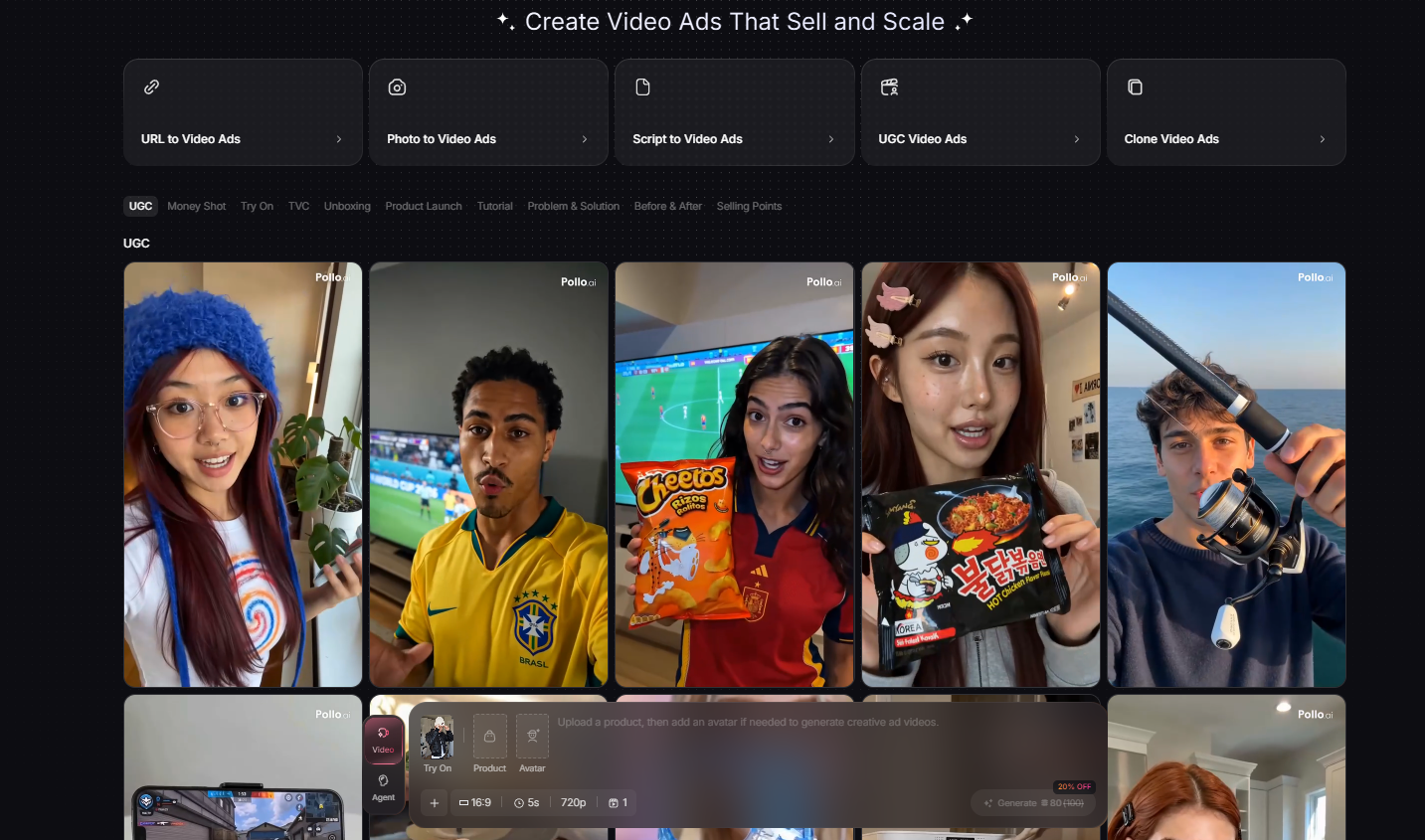
The template library is one of the underrated parts of Pollo. URL-to-video for Shopify and Amazon, clone video ads, faceless video, Instagram story ads — most operators end up using templates more than blank-canvas generation because they're tuned for direct-response performance.
Multiple AI Models
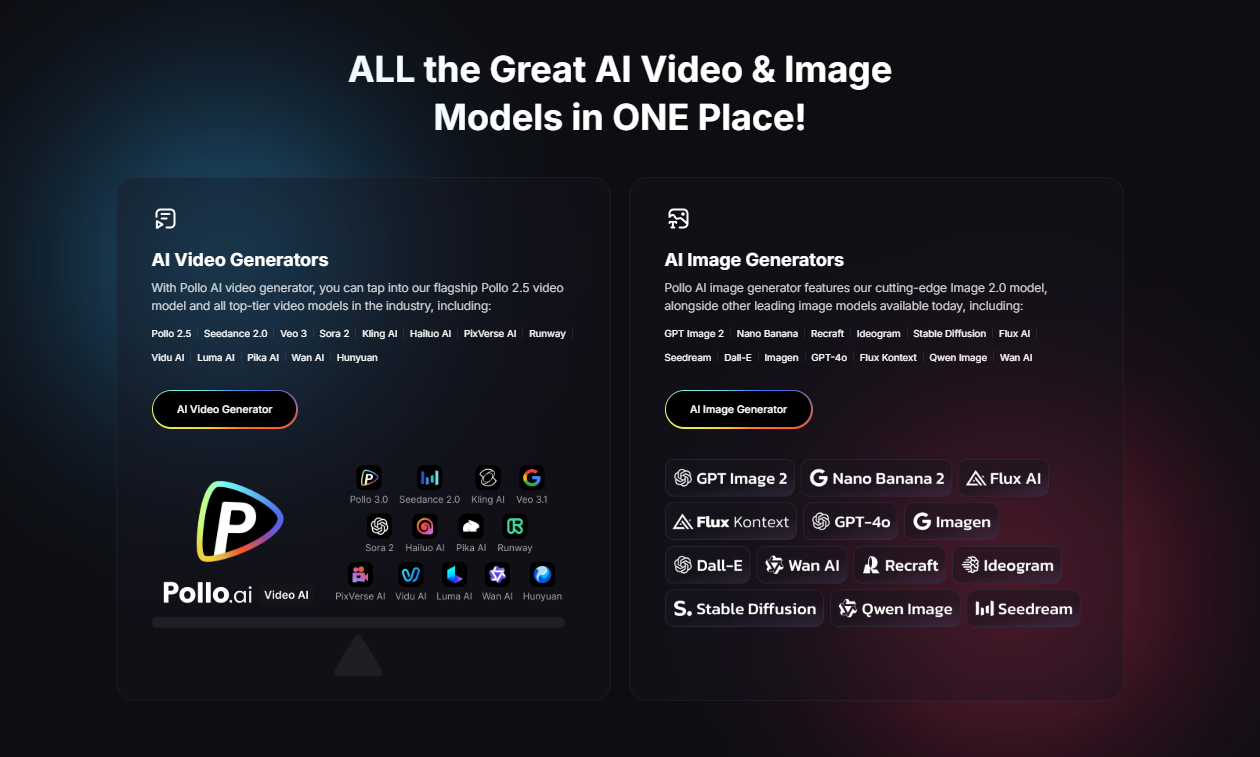
Pollo aggregates multiple models (Kling, Pollo's own models, and others) inside one subscription. Instead of paying separate fees to four different platforms, you toggle models per generation. That alone is where the math starts beating the "best of breed" approach for most users.
Commercial Usage
All paid plans include commercial rights. You can run outputs in paid ads, deliver them to clients, or monetize on social. This is non-negotiable if you're a creator running paid traffic or an agency.
Is Pollo AI Expensive Compared To Competitors?
The short answer: no. Pollo AI is one of the more affordable options in the AI video space, mainly because it bundles access to multiple models. Here's how it stacks up against the platforms operators most often compare it to.
| Tool | Starting Paid Price | Models Included | Best For |
|---|---|---|---|
| Pollo AI | $10/mo | Multiple (Kling, Pollo, more) | Affiliates, ecommerce, creators |
| Kling | ~$10/mo | Kling only | Stylized motion, single-model users |
| Runway | $15/mo (limited) | Gen-3 / Gen-4 | Cinematic, filmmaking |
| Pika | $10/mo | Pika models | Short stylized clips |
| PixVerse | $10/mo | PixVerse models | Social-first short video |
Runway produces the most cinematic outputs but is notably more expensive per second of finished video. Kling, Pika and PixVerse each lock you into one model family. Pollo AI's pitch is structural: instead of subscribing to four tools, you subscribe to one and pick the best model per shot.
For high-end brand films, Runway still wins. For everything else — direct response, UGC-style content, dropshipping ads, affiliate creatives — Pollo AI is usually the more efficient spend.
Hidden Costs And Limitations
Pollo AI is fairly transparent, but credit-based pricing always has gotchas. Here's what catches new users.
Credits drain faster than expected
Standard mode is cheap (~10 credits per video). Professional mode, longer clips, and higher resolution can multiply that 3–4x. If you batch in pro mode without thinking, an 800-credit Pro plan can vanish in a week. Plan for it.
Rendering queue at peak times
Free and Lite users sit behind Pro and Agency users in the render queue. During peak hours (evenings in US/Europe), expect waits. Pro and above prioritize you.
Generation speed varies by model
Some models render in under a minute. Others — particularly the higher-fidelity ones — can take several minutes per clip. Factor this into your testing cadence.
Upscaling and add-ons
Video upscaling, face swap, and a few premium effects pull additional credits. They're optional, but creators who lean on them will burn credits faster than the plan implies.
Top-ups aren't refundable
Buying extra credits mid-cycle is convenient but not cheaper per unit. If you find yourself topping up two months in a row, upgrade the plan — it's almost always cheaper.
Real-World Use Cases
TikTok videos
Short, hook-first creatives generated in batches of 5–10. Test the hooks live, throw out the losers, double down on winners. Pollo's UGC and template library are tuned for this exact loop.
Pinterest content
Vertical 9:16 idea pins with motion outperform static pins. Pollo's image-to-video flow turns existing pin designs into motion-friendly versions in minutes.
Ecommerce ads
Product photos → animated shots → Meta and TikTok ads. The Pro plan typically replaces $500–$2,000/mo of freelance editor time for small Shopify stores.
Affiliate marketing videos
Talking-head UGC, before/after demos, and selling-point cutaways — generated and tested without paying creators upfront. The first winning hook usually pays for a year of Pollo.
YouTube Shorts
B-roll, openers, and cinematic cutaways for faceless channels or to spice up talking-head content. Pollo's text-to-video shines for visual metaphors that would otherwise require stock footage.
Pros And Cons
- ✓ Multiple AI models in one subscription
- ✓ Strong template library for direct-response ads
- ✓ Affordable starting tier ($10/mo)
- ✓ Image-to-video is genuinely useful for ecommerce
- ✓ Commercial rights on all paid plans
- ✓ Annual billing meaningfully cheaper
- ✗ Free plan is genuinely just a trial
- ✗ Pro mode burns credits fast
- ✗ Not the right tool for cinematic brand films
- ✗ Render queue slows down free / Lite users
- ✗ Outputs occasionally look obviously AI
Is Pollo AI Worth Paying For?
For most creators and ecommerce operators in 2026: yes. The math is straightforward — a single winning ad creative usually pays for months of Pollo. The cost of not testing enough variants is almost always higher than the subscription.
Who should buy it
Affiliate marketers running paid social. Dropshippers and Shopify stores in testing-heavy stages. TikTok and Pinterest creators who need volume. Faceless YouTube channels. Anyone whose bottleneck is shipping more video, not making better strategy decks.
Who should avoid it
Brands chasing high-end cinematic aesthetics — Runway is the better fit. Teams that already have in-house video editors with capacity. Anyone whose conversion problem is the offer or product, not the creative volume.
Best plan overall
For 90% of users reading this: Pro at $25/mo (or annual at ~$21.50/mo). It's the lowest tier where the workflow actually feels unlocked — no watermark, pro mode, faster queue, and enough credits to test seriously.
Final Verdict: Is Pollo AI Worth Paying For?
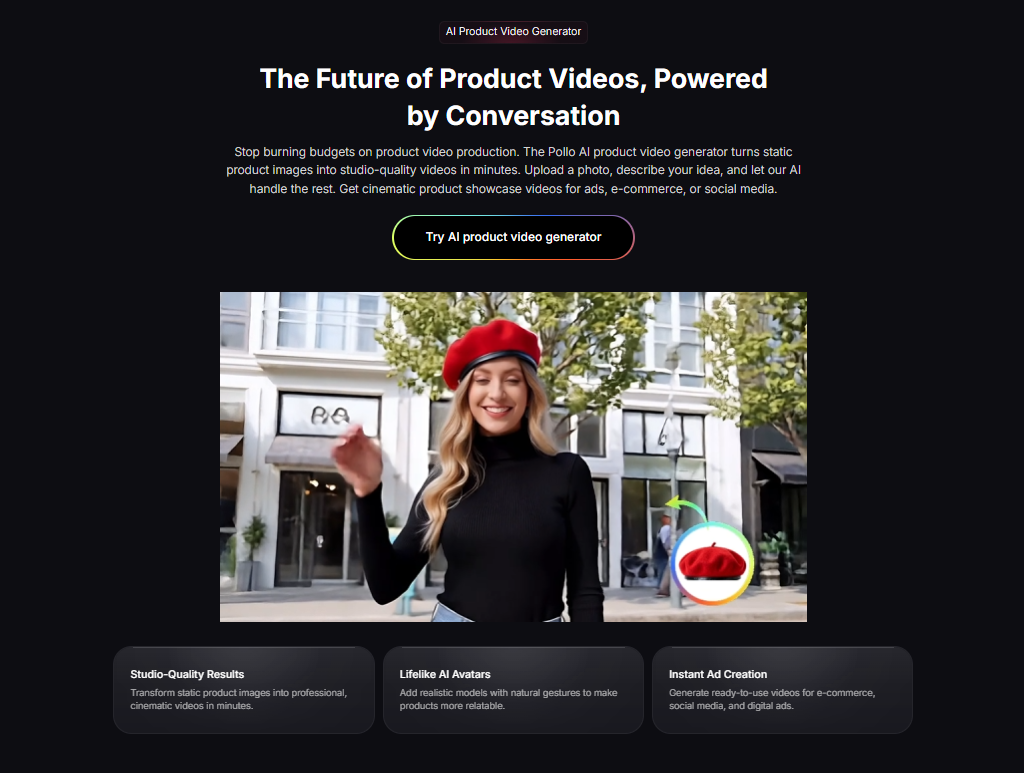
Yes — for the right person. If you ship video for paid social, affiliate offers, ecommerce ads, or short-form content, Pollo AI is one of the highest-ROI subscriptions on the market in 2026. A single winning creative typically pays for the plan many times over within the first month.
Who should buy it: affiliate marketers, dropshippers, Shopify and WooCommerce store owners, TikTok and Pinterest creators, faceless YouTube channels, and small agencies. If your bottleneck is creative volume, this fixes it.
Who should skip it: brands chasing cinematic, premium-film aesthetics (use Runway), or teams whose conversion issue is the offer — not the creative.
The one plan we'd recommend: Pro at $25/mo (or $21.50/mo on annual billing). It's the only tier where the workflow actually clicks — no watermark, pro mode, faster queue, and enough credits for serious testing. The free plan is for confirming fit. After that, go straight to Pro and skip Lite unless your usage is truly casual. For deeper context on alternatives, see our best AI video tools roundup, our Holo AI review, and the Holo AI vs Creatify comparison.
Get Started With Pollo AI — Pro Plan
Try the free plan to confirm the workflow. Upgrade to Pro the moment you're ready to ship volume — it's where the math actually works.
Pollo AI Pricing FAQ
How much does Pollo AI cost in 2026?
Pollo AI starts at $0/mo on the free plan (20 credits, watermarked). Paid plans begin at $10/mo (Lite) and $25/mo (Pro), with annual billing saving roughly 14%. Higher-tier plans scale up to 50,000+ credits per month for agencies and heavy users.
What is the cheapest Pollo AI paid plan?
The Lite plan at $10/mo is the cheapest paid tier, giving you 300 credits (~30 standard videos), no watermarks, and access to professional mode.
Which Pollo AI plan is most popular?
The Pro plan at $25/mo is the most popular tier. It includes 800 credits per month, faster generation, professional mode, and removes watermarks — the right balance for serious creators and ecommerce operators.
Does Pollo AI have a free plan?
Yes. The free plan gives you 20 credits per month (roughly two standard videos), watermarked outputs, and standard generation speed. It is enough to test the platform but not enough to run a real workflow.
Is Pollo AI worth it for affiliate marketers?
For most affiliate marketers running TikTok, Pinterest or YouTube Shorts, the Pro plan pays for itself with the first winning creative. 80 standard videos a month is more than enough to test hooks across multiple offers.
Can I use Pollo AI videos commercially?
Yes. Paid plans include commercial usage rights, which means you can run the generated videos in paid ads, on client accounts, and on monetized social channels.
How does Pollo AI compare to Runway and Kling?
Runway is more cinematic but significantly more expensive per video. Kling is great for stylized AI motion. Pollo AI sits in the middle — cheaper than Runway, more flexible than Kling, and built around multi-model access in one subscription.
Can you cancel Pollo AI anytime?
Yes, all paid plans are month-to-month or annual and can be cancelled from the dashboard. Annual plans are not refunded mid-cycle but remain active until the end of the term.
Are there any hidden costs with Pollo AI?
The main thing to watch is credit consumption. Professional mode, longer videos, and higher resolutions cost more credits per generation. Upscaling and certain premium models also draw extra credits.
Is Pollo AI good for dropshipping ads?
Yes — Pollo AI is particularly strong for dropshipping because you can spin product photos into UGC-style ads and short-form video creatives without filming. The Pro plan gives you enough volume to test multiple products in parallel.
Written by the Toolstacker editorial team — operators and media buyers reviewing AI tools from inside real Shopify, affiliate, and creator workflows. We earn affiliate commissions on some links, but plan rankings are based on real testing. Related reading: Best AI Video Tools, Holo AI Review, Holo AI vs Creatify.