
Best AI Image To Video Generators In 2026
We reviewed the most popular AI image-to-video tools to find the best options for creators, affiliate marketers, ecommerce brands, and short-form video publishers.
Some links on this page are affiliate links. We may earn a commission at no extra cost to you. This does not influence our editorial picks.
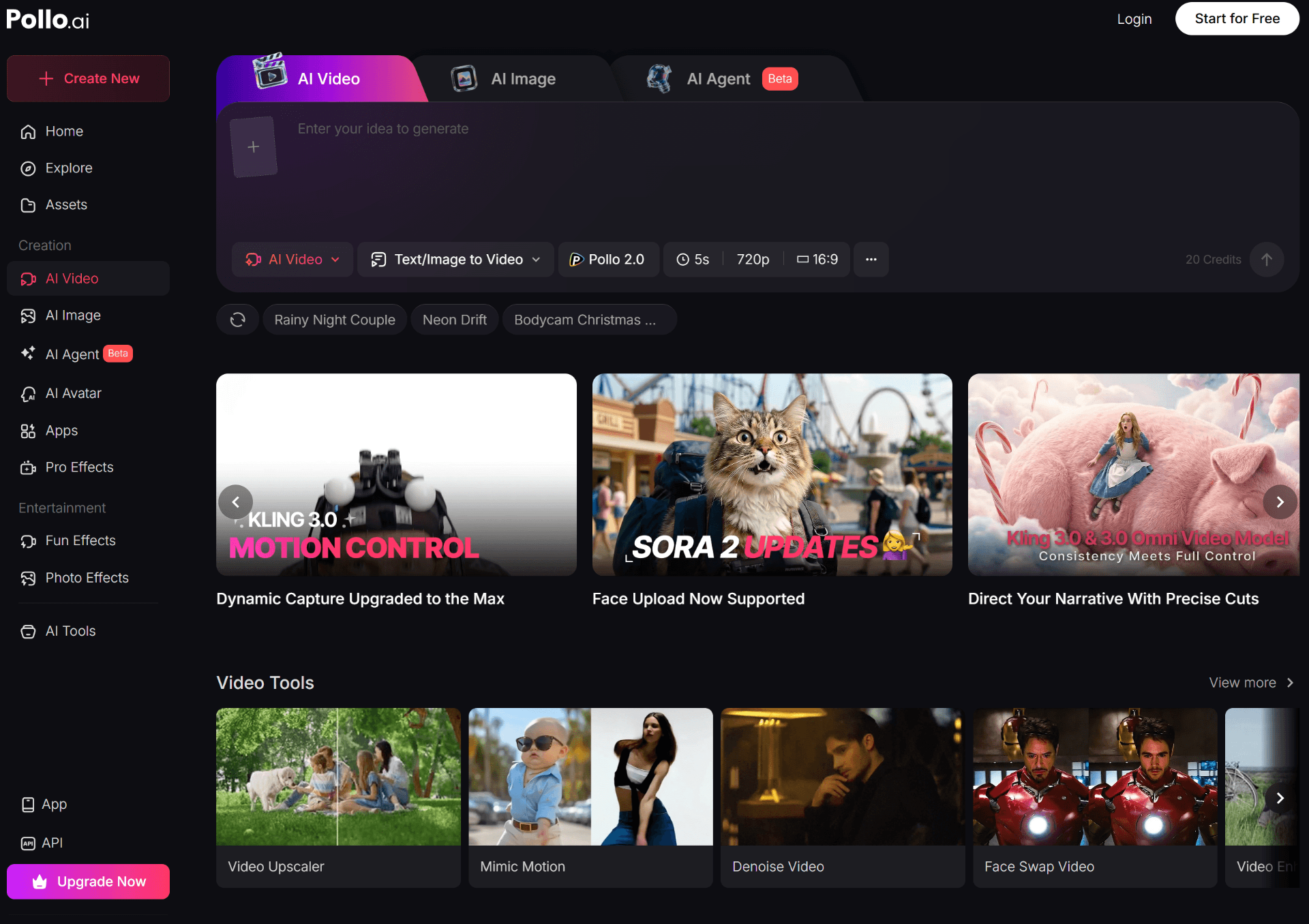
The 6 Best AI Image-To-Video Generators
- 1. Pollo AI — ⭐ Best overall, best value, multi-model access.
- 2. Kling — Best for realistic physics and natural motion.
- 3. Runway — Best for cinematic, high-end production.
- 4. PixVerse — Best for short-form and social-first creators.
- 5. Hailuo — Best for smooth character animation.
- 6. Pika — Best for stylized, creative effects.
Quick Comparison Table
Here's a side-by-side comparison of the six tools we recommend, based on our review of each platform's current features, pricing, and output quality.
| Tool | Best For | Starting Price | Free Plan | Rating |
|---|---|---|---|---|
| ⭐Pollo AI | All-in-one image-to-video, UGC, ecommerce | $0 / Free | Yes | 4.8 / 5 |
| Kling | Realistic motion & physics | $10/mo | Limited | 4.5 / 5 |
| Runway | Cinematic & filmmaking | $15/mo | Limited | 4.4 / 5 |
| PixVerse | Short-form & social clips | $10/mo | Yes | 4.3 / 5 |
| Hailuo | Smooth character motion | $10/mo | Limited | 4.2 / 5 |
| Pika | Stylized & creative effects | $10/mo | Yes | 4.1 / 5 |
⭐ Best Overall = Pollo AI. Prices reflect the lowest paid tier at the time of our review and may change.
Why AI Image-To-Video Tools Matter In 2026
The shift from text-to-video to image-to-video is the biggest unlock for creators this year. Text-to-video is creative, but unpredictable. Image-to-video gives you control: you start from a real photo, a product shot, or a generated still, and the AI animates from there.
For ecommerce stores, that means turning a single product photo into a scroll-stopping ad in minutes. For affiliate marketers, it means producing fresh creative for TikTok and Pinterest without filming anything. For YouTube and Shorts creators, it means generating B-roll on demand.
The trade-off, until recently, was that each top model lived in its own subscription. That's why platforms like Pollo AI — which aggregate multiple frontier models behind one login — have become the default choice for serious creators.
Our Top Pick: Pollo AI
Pollo AI — The All-In-One Image-To-Video Platform
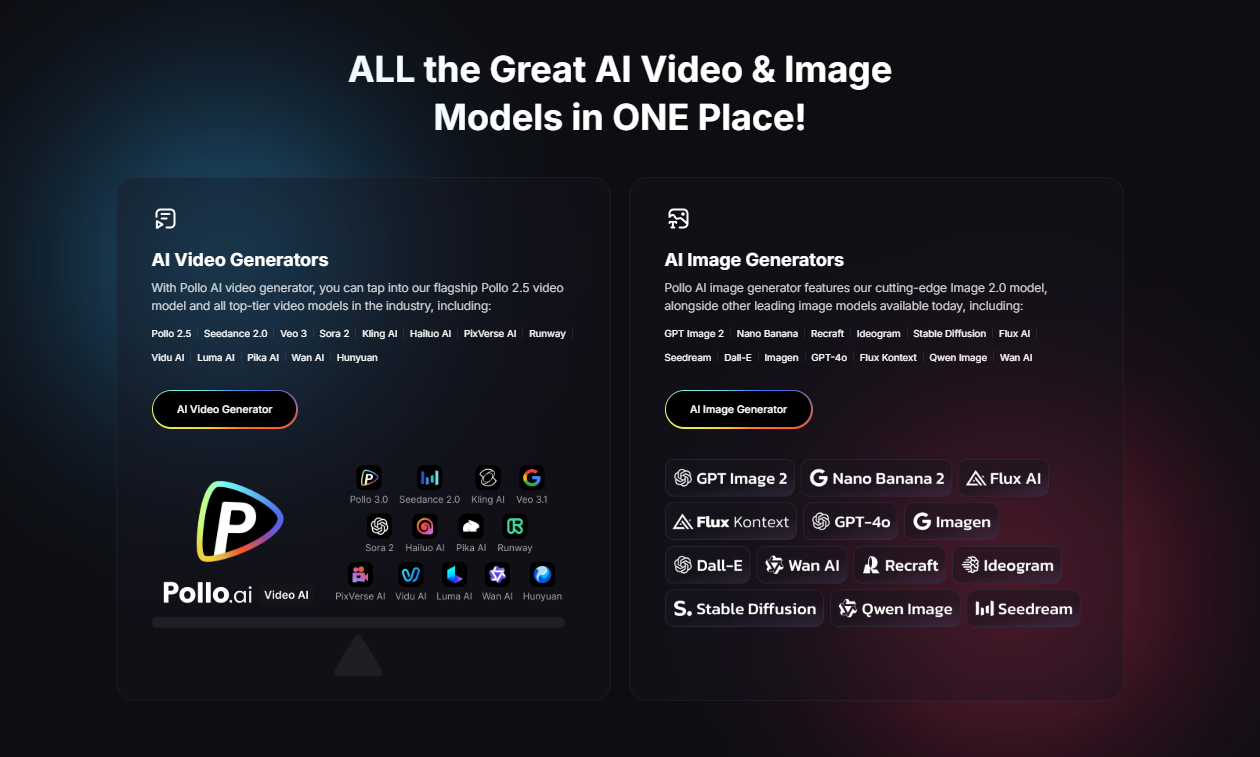
Pollo AI is the AI video tool we recommend first to almost everyone in 2026. It's not the absolute best at any single thing — but it bundles Kling, Hailuo, PixVerse, and several other frontier video models into one subscription, with a workflow built specifically for creators and ecommerce.
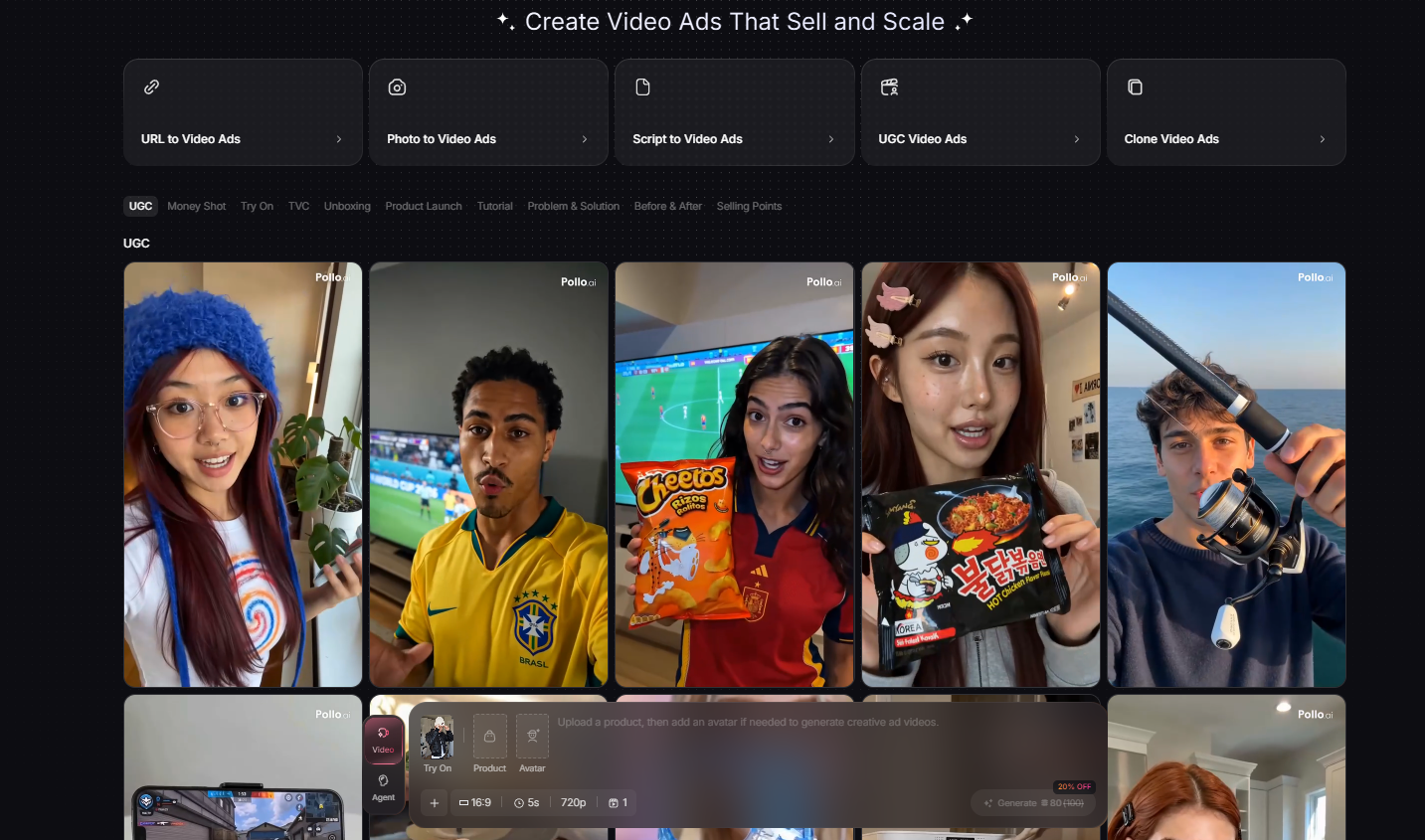
What It Does
Pollo AI takes a still image — a product photo, a generated AI still, a screenshot, or a real photo — and animates it into a short video clip. You control the motion direction, camera movement, and style via prompts and presets.
Beyond pure image-to-video, the platform includes text-to-video, AI UGC (creator-style ad reads with synthetic avatars), product video templates, and lip-sync. The same credit pool works across all of them.
Why It Stands Out
- Multi-model access. One subscription, multiple frontier video models. No tool-hopping.
- Built for short-form. Vertical-first templates, fast renders, clean exports for TikTok, Reels and Shorts.
- Commercial rights included. Paid plans allow paid ads, client work and monetized channels.
- Beginner friendly. Most users produce a usable clip within their first 10 minutes.
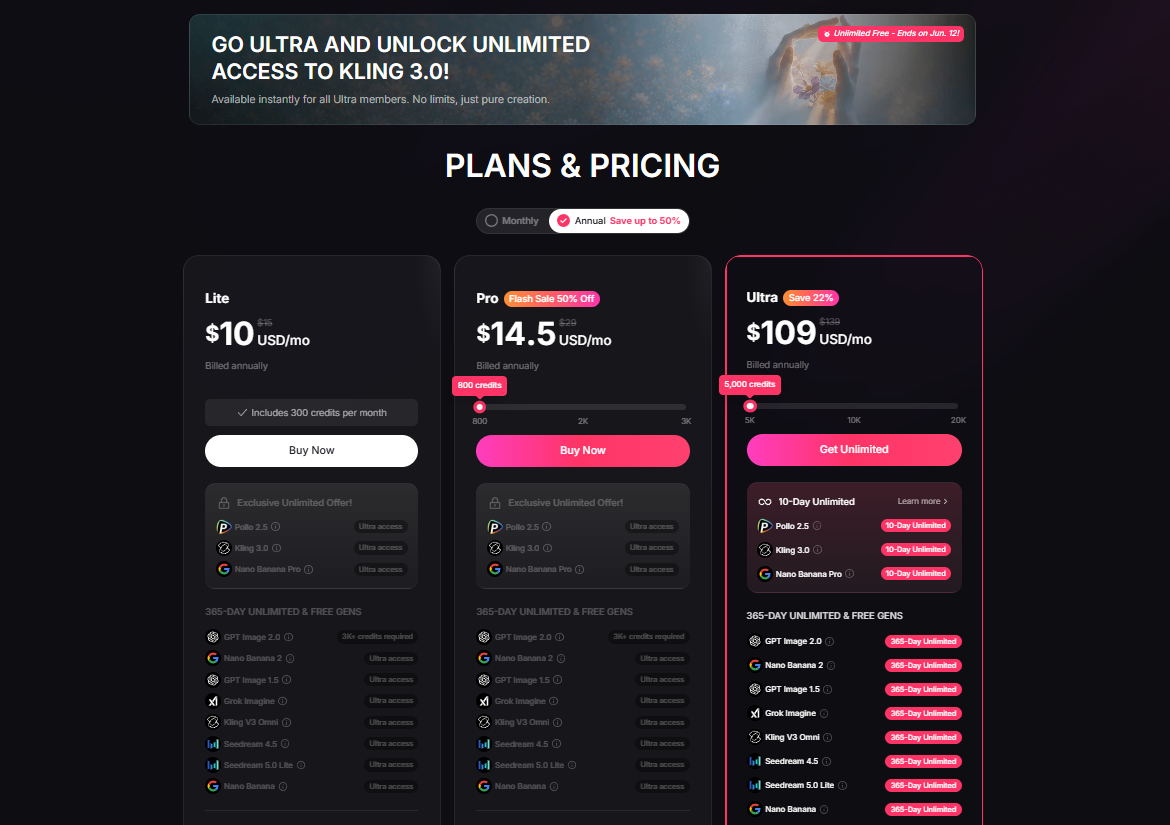
- Fair pricing. Meaningfully cheaper than stacking Runway + Kling + PixVerse separately.
Who Should Use It
Pollo AI is the right pick for affiliate marketers running TikTok and Pinterest traffic, dropshippers and ecommerce stores producing product video ads, content creators publishing weekly short-form, and small agencies producing client creative at scale.
Pros
- Aggregates several top AI video models in one place
- Strong image-to-video output, especially on product shots
- Dedicated AI UGC workflow
- Free plan to test before paying
- Commercial rights on paid plans
- Clean, fast dashboard with templates
Cons
- Premium models consume credits faster
- Peak-hour queue times on the cheapest plans
- No native long-form video editor — built for short clips
2. Kling — Best For Realistic Motion
Kling is one of the most impressive frontier video models released in the past 12 months. It's particularly strong at physics — gravity, water, fabric, and crowd motion all behave in ways that competitors still struggle with.
For image-to-video specifically, Kling shines on complex scenes: animals running, vehicles moving, people walking through detailed environments. If realism is your priority and your budget allows for a dedicated subscription, Kling is excellent.
The trade-off is cost and access. Kling is available standalone, but you can also use it inside Pollo AI without a separate subscription, which is why we usually point creators there first.
- Strengths: Realistic motion, strong prompt adherence, high resolution.
- Weaknesses: Pricier when used standalone, fewer templates for creators.
- Best for: Creators who want photorealism above all else.
3. Runway — Best For Cinematic Production
Runway is the most established name in AI video and remains the strongest choice for cinematic, filmmaker-style output. Its image-to-video produces clips that feel closer to a camera shot than a generative AI render — shallow depth of field, controlled lighting, deliberate composition.
Where Runway loses points is value. For most short-form creators and ecommerce sellers, paying Runway prices for 5-second TikTok clips is overkill. It earns its price tag when you're producing long-form video, music videos, or narrative content.
- Strengths: Cinematic output, strong editing suite, mature platform.
- Weaknesses: Expensive, overkill for short-form, slower workflow.
- Best for: Filmmakers, music video creators, agencies producing long-form.
4. PixVerse — Best For Short-Form Social
PixVerse is purpose-built for short-form video. Its templates are optimized for TikTok, Reels and Shorts pacing, and its renders are fast — sometimes meaningfully faster than competitors during peak hours.
PixVerse has a generous free plan and is genuinely beginner-friendly. The trade-off is depth: it's less flexible than Runway or Kling for non-social use cases, and motion quality on complex prompts can lag behind the leaders.
- Strengths: Speed, templates, social-first features, free plan.
- Weaknesses: Limited beyond short-form, lower ceiling on quality.
- Best for: TikTok creators and viral-content publishers.
5. Hailuo — Best For Character Animation
Hailuo (MiniMax) is one of the better models for animating characters from a single image. Faces, hands and clothing tend to behave more naturally than in some competing models, and it does a reasonable job preserving identity across short clips.
For creators producing avatar-led content, faceless influencer videos, or character-based storytelling, Hailuo is worth testing. As with Kling, you can access it standalone or as part of Pollo AI's bundled model lineup.
- Strengths: Character motion, identity preservation.
- Weaknesses: Less polished UI, fewer creator workflows.
- Best for: Character-driven content and faceless creators.
6. Pika — Best For Stylized & Creative Effects
Pika is the playful one in this lineup. Its "Pikaffects" and stylized presets are genuinely fun and produce share-worthy clips that other tools simply don't. For meme-style content, creative TikTok edits, and stylized image-to-video, it's a great secondary tool.
We don't recommend it as your only AI video tool — it lacks the depth for ecommerce or paid-ad use cases — but it pairs well with a primary platform like Pollo AI.
- Strengths: Stylized effects, creative presets, fast iteration.
- Weaknesses: Less realistic, weaker for product video.
- Best for: Meme creators and stylized short-form.
How To Choose An AI Image-To-Video Tool
After analyzing the current features and pricing across the market, these are the six factors that actually matter when choosing a tool:
1. Video Quality
Quality means more than resolution. Look at how the AI handles motion, light, and continuity. Generate the same prompt across two or three tools before committing — the difference is obvious.
2. Motion Realism
The hardest part of AI video is movement that doesn't look "off." Kling and Pollo AI's bundled models lead here in our review. If your content depends on convincing motion (people, animals, products), prioritize this above everything else.
3. Ease Of Use
A tool you can't operate doesn't matter, no matter how powerful. Pollo AI and PixVerse both win here. Runway is the most powerful but has the steepest learning curve.
4. Templates & Presets
Templates dramatically shorten the time from idea to finished clip. Pollo AI's product-video and UGC templates are particularly useful for ecommerce sellers.
5. Pricing & Credits
Watch the credit model carefully. A "$10/month" plan with 50 credits where each video costs 10 credits is really only 5 videos per month. Pollo AI's pricing is transparent — see the full Pollo AI pricing breakdown for what you actually get on each plan.
6. Commercial Rights
If you're running ads, building client work, or monetizing content, you need commercial rights. Most paid plans include them; most free plans do not. Always confirm before publishing.
Which Tool Is Best For Different Users?
Affiliate Marketers
You need volume and you need commercial rights. Pollo AI is the right pick — multi-model access keeps your creative fresh, the credit system scales with production volume, and the UGC workflow is purpose-built for affiliate angles.
Dropshippers
You're animating product photos into ads at scale. Pollo AI wins here too. Its product-video workflow and Kling-quality output (without paying Kling prices standalone) is exactly what dropshipping creative needs.
Ecommerce Stores
Brand-side ecommerce stores producing weekly content do well with Pollo AI as the primary tool, and optionally Runway for hero / launch videos where production value matters.
TikTok Creators
Speed, templates and vertical-first output matter. Pollo AI and PixVerse are both excellent. We lean Pollo AI because of the multi-model variety, which keeps your feed visually fresh.
Pinterest Creators
Pinterest rewards consistent, high-quality vertical video. Pollo AI is the most efficient choice — generate dozens of variants from a single product photo and ship them across boards.
YouTube Shorts Creators
For Shorts, you want fast B-roll generation and reliable motion. Pollo AI for B-roll and image-to-video; Runway if you also produce long-form YouTube and want a single platform for both.
Related Reading
- Pollo AI Review 2026 — full breakdown
- Pollo AI Pricing — every plan compared
- Best AI Video Tools — broader category roundup
- Holo AI Review — AI UGC alternative
- Holo AI vs Creatify — AI UGC head-to-head
Final Verdict — The Best AI Image-To-Video Generator In 2026
After analyzing every leading AI image-to-video tool currently on the market, the same answer keeps surfacing: most creators are better off paying for one platform that aggregates the best models than paying for several models individually.
That's why Pollo AI is our Best Overall pick for 2026. It's not the single best model in any one category — Kling edges it on physics, Runway edges it on cinematic depth — but for the real-world workflow that affiliate marketers, ecommerce sellers and short-form creators run every week, Pollo AI is the most practical, most economical, and most flexible option.
Pair it with one specialized tool (Runway for cinematic, Pika for stylized) if your work demands it, and you have a complete AI video stack for a fraction of what a multi-tool subscription used to cost.
⭐ Our #1 Recommendation
Try Pollo AI's free plan first to test the workflow on your own images and product photos. If it clicks, the Pro plan is where the value compounds — multi-model access, commercial rights, and enough credits for weekly production.
Frequently Asked Questions
What is the best AI image-to-video generator in 2026?
Based on our review of the current market, Pollo AI is the best overall AI image-to-video generator because it bundles access to multiple frontier video models (Kling, Hailuo, PixVerse and more) inside one subscription with a beginner-friendly workflow and commercial rights included.
Is there a free AI image-to-video generator?
Yes — Pollo AI, PixVerse and Pika all offer free plans with limited credits. Free plans are perfect for testing motion quality and prompt styles before upgrading to a paid plan.
Which AI image-to-video tool is best for TikTok and short-form content?
Pollo AI and PixVerse are the strongest options for TikTok, Reels and Shorts because they're optimized for 5–10 second vertical clips and ship with templates designed for short-form pacing.
Which tool is best for ecommerce product videos?
For product videos from a single product photo, Pollo AI is the most practical option — it has dedicated product video and AI UGC workflows, plus commercial rights on paid plans.
Do AI image-to-video tools allow commercial use?
Most paid plans include commercial rights. Free plans typically do not. Always check the specific plan before using generated videos in paid ads or client deliverables.
How long does it take to generate a video from an image?
Most tools generate a 5–10 second clip in 30 seconds to a few minutes depending on the model and current queue load. Pollo AI and PixVerse tend to be fastest in our experience using the platforms.
Can I turn multiple images into one continuous video?
Yes. Pollo AI, Runway and Pika support first-frame / last-frame image inputs, letting you chain images into longer continuous scenes.
What resolution can AI image-to-video tools generate?
Most tools output 720p or 1080p depending on the plan. Runway and Kling have the highest top-end resolutions, while Pollo AI delivers very competitive quality at a meaningfully lower price.
Disclosure: This article contains affiliate links. If you sign up for a paid plan through our links, we may earn a commission at no extra cost to you. Our editorial ranking is independent of any commercial relationship.